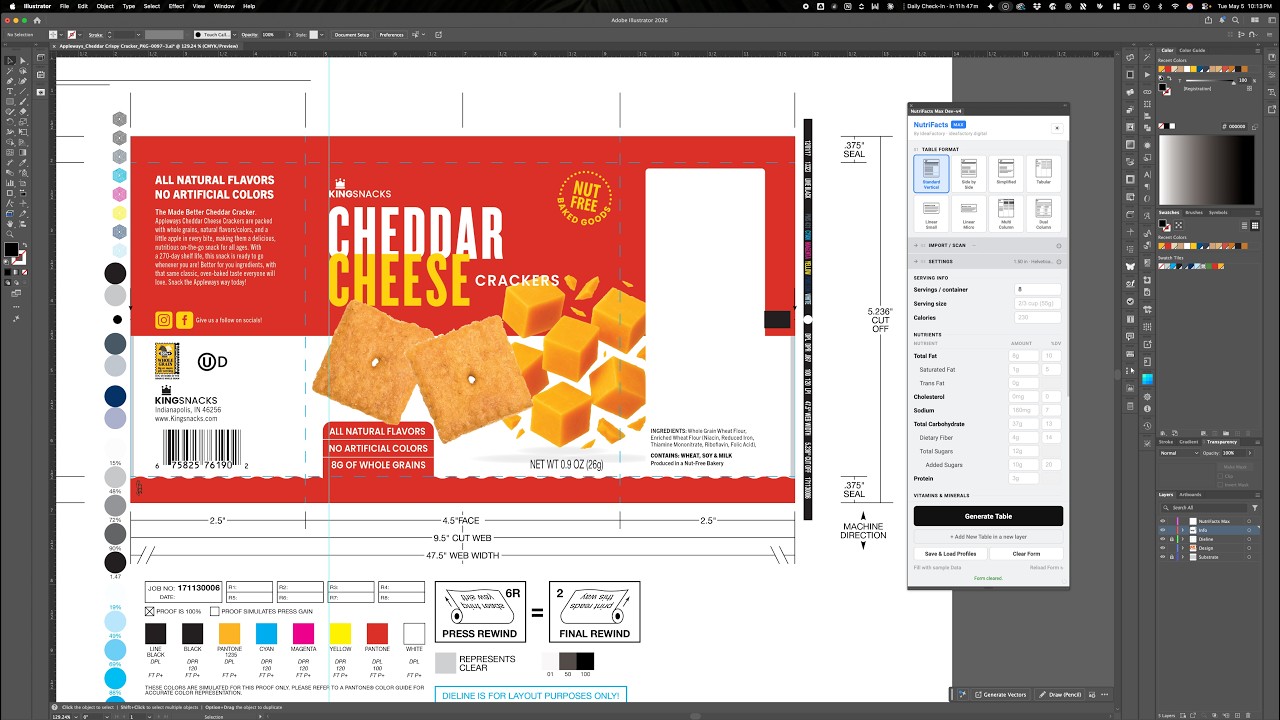
What is NutriFacts Max?
An Adobe Illustrator plugin for packaging designers and art directors that generates FDA-compliant Nutrition Facts labels as fully editable vector artwork — directly in your active document, in seconds.
Which versions of Adobe Illustrator are compatible?
Adobe Illustrator 2022 or later, on both macOS and Windows.
How does the AI Scan feature work?
AI Scan uses Anthropic (Claude) or OpenAI APIs to read nutrition data from visual sources. You can drag-and-drop a JPG, PNG, or WebP image into the panel, or use Scan Selected to convert existing artwork — old vector groups, live text, or placed images — directly from your artboard. It even auto-detects the FDA format and switches the panel to match.
How can I import data from spreadsheets?
Bulk import works with Excel (.xlsx), CSV, or a published Google Sheet. Use a sheet named Products, where each row is a different product. The Catalog feature stores your last import so you can switch between SKUs without re-importing.
Are the generated labels fully editable?
Yes. The output is a grouped vector object placed on its own dedicated layer named "NutriFacts." You can manually adjust colors, paths, and text whenever your design calls for it.
Which FDA label formats are supported?
All 8 official FDA formats: Standard Vertical, Simplified, Micro Side-by-Side, Tabular, Linear V1, Linear V2, Multi-Column, and Dual Column.
Can I save specific settings for different clients?
Yes. The Profiles feature lets you save layout configurations — width, font choice, density modes — under a descriptive name. Ideal for keeping brand consistency across multiple projects for the same client.
What if my label needs to fit a very tight space?
Use the density toggles to optimize space. Compact Mode reduces vertical spacing, while Narrow Mode condenses the label to 85% of its standard width. You can also manually adjust the table width in the Settings panel to better fit your packaging layout. Keep in mind that excessive width reduction has practical limits before readability and FDA formatting integrity begin to break down. For extreme space constraints, switch to a Linear or Tabular format.
Does the plugin handle font hierarchy and rule weights automatically?
Yes. When you set a width, the plugin handles tracking, text hierarchy, and rule weights to keep the label legible and compliant at any size. Helvetica LT Std is the default, but you can pick any font installed on your system.
How does licensing work?
Each license allows activation on up to 2 computers. Licenses are managed through Lemon Squeezy. If you need to transfer to a new machine, contact us at
support@ideafactory.digital and we'll deactivate the old one.
Do I need an internet connection?
Only for the AI Scan feature, live Google Sheet imports, and license activation. Standard label generation works offline.
Is this an official Adobe product?
No. NutriFacts Max is an independent plugin developed by IdeaFactory. It is not affiliated with or endorsed by Adobe.
What if I need help?